


A lot of people are looking at other options after the Broadcom buyout of VMware. That is no secret at this point, although some of the die hards out there will completely deny it. Those choosing to move on and not buy into the subscription model who have perpetual licenses were also promised CVSS9+ patches even without active support. There is even still an active KB Article to the same effect. However, that has clearly not been the case and people are noticing VMware is skirting their commitment there. The funny thing is I am here to tell you there are ways through architecture and principles to mitigate nearly every VMware CVE past and present. If you think I am full of shit, then read on and please comment.

How Most VMware Vulnerabilities Start
Before I begin I want to state all of the following is IN ADDITION to the standard best practices and product hardening that is already well established. The first step in this processes is to understand HOW vulnerabilities are exploited. For example in the most recent VMSA-2025-0013 listing if you actually read them in detail, all four CVE’s share a common theme of exploitation.
“A malicious actor with local administrative privileges on a virtual machine”
Now this is not always the case but let’s be honest, from my experience there are only so may ways exploits can happen and they generally fall into these buckets.
- Administrative access to the virtual machine
- Administrative access to vCenter
- Administrative access to ESXi hosts
- Exposure of vCenter or ESXi Web or API endpoints
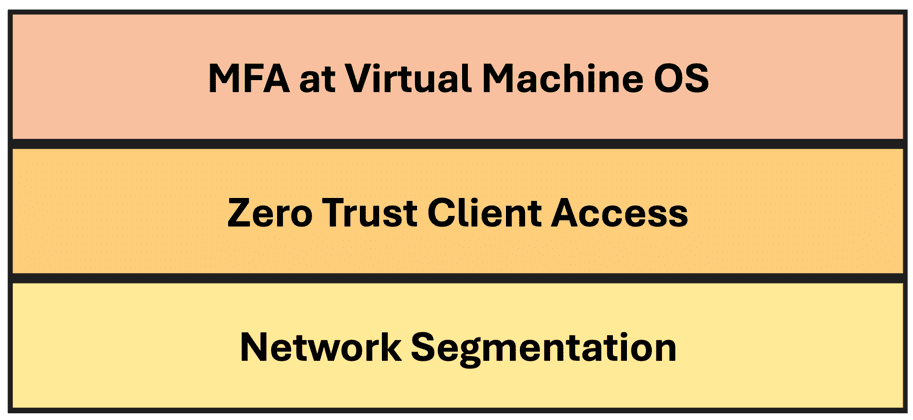
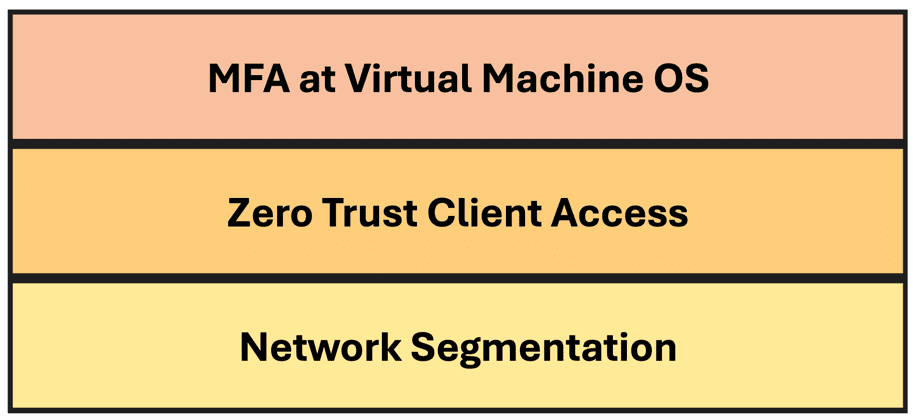
Let’s take all of these into account as I work through discussing my new approach to mitigating VMware vulnerabilities without patching which has long been referred to by Defense in Depth, but rarely seems to be put into practice. I have broken this down into my own “three layer cake” to describe a specific set of defense in depth principles.

Network Segmentation
While this one has long been in place, I have found it is rarely implemented properly and thus needs to be discussed. Most people understand why this is important and why having network segments is a good thing, but how many places deploy it with a least privilegded model? We also need to understand that this really only controls device to device level access.

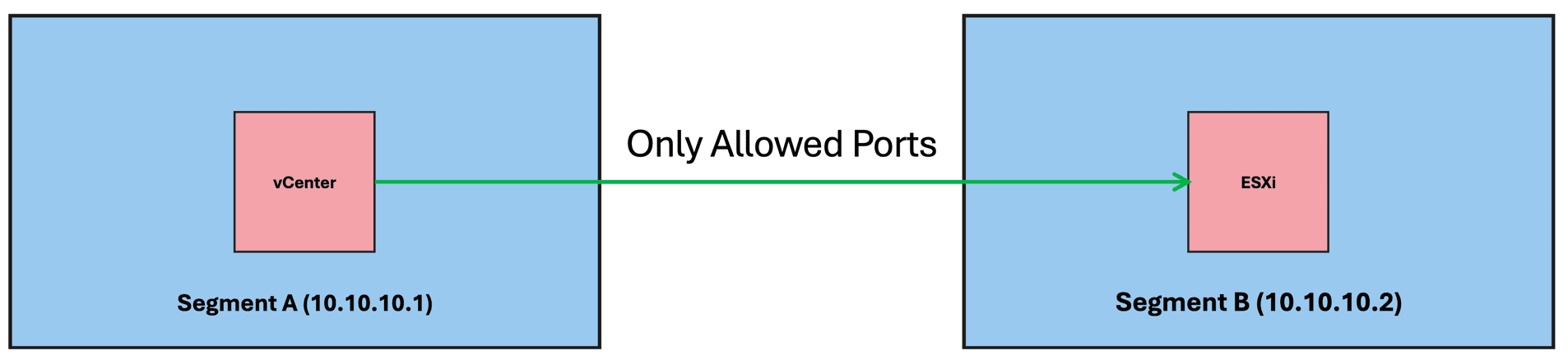
Meaning in the case of vCenter and ESXi putting them on separate segments only controls the IP address/range between them on spefific ports. This is always a good foundation to limit exposure if/when one of these systems is compromised it can’t be used as an easy jump off point. Again, I may seem like on this one I am stating the obvious, but you’d be surprised how poorly implemented this first layer is.
Every VMware product has published ports and protocol requirements and by golly, if you read them you can actually make things work without “Allowing All”, and yes it means more work for additional integrations and communications by third party products. So what? Suck it up and play ball with the big league and do it right or don’t complain later.
This layer mitigates what can escape each network on which protocols and provides, in my opinion, only the most basic layer of protection. Examples of products that can manage proper network segmentation are:
- Cisco ACI
- NSX-T
Zero Trust Client Access
This one has hit the mainstream as new technology in recent years, but has quickly proven to be a very powerful tool to layer onto basic network segmentation. In fact I use one of these tools myself to leverage policy based access to both pubic applications as well as networks in both my house and a datacenter bare metal in OVH Cloud. I even did a vBrownbag on exposing an ESXi server to the internet securely using one of these Zero Trust technologies. Not that you SHOULD do that but you could and do it correctly.

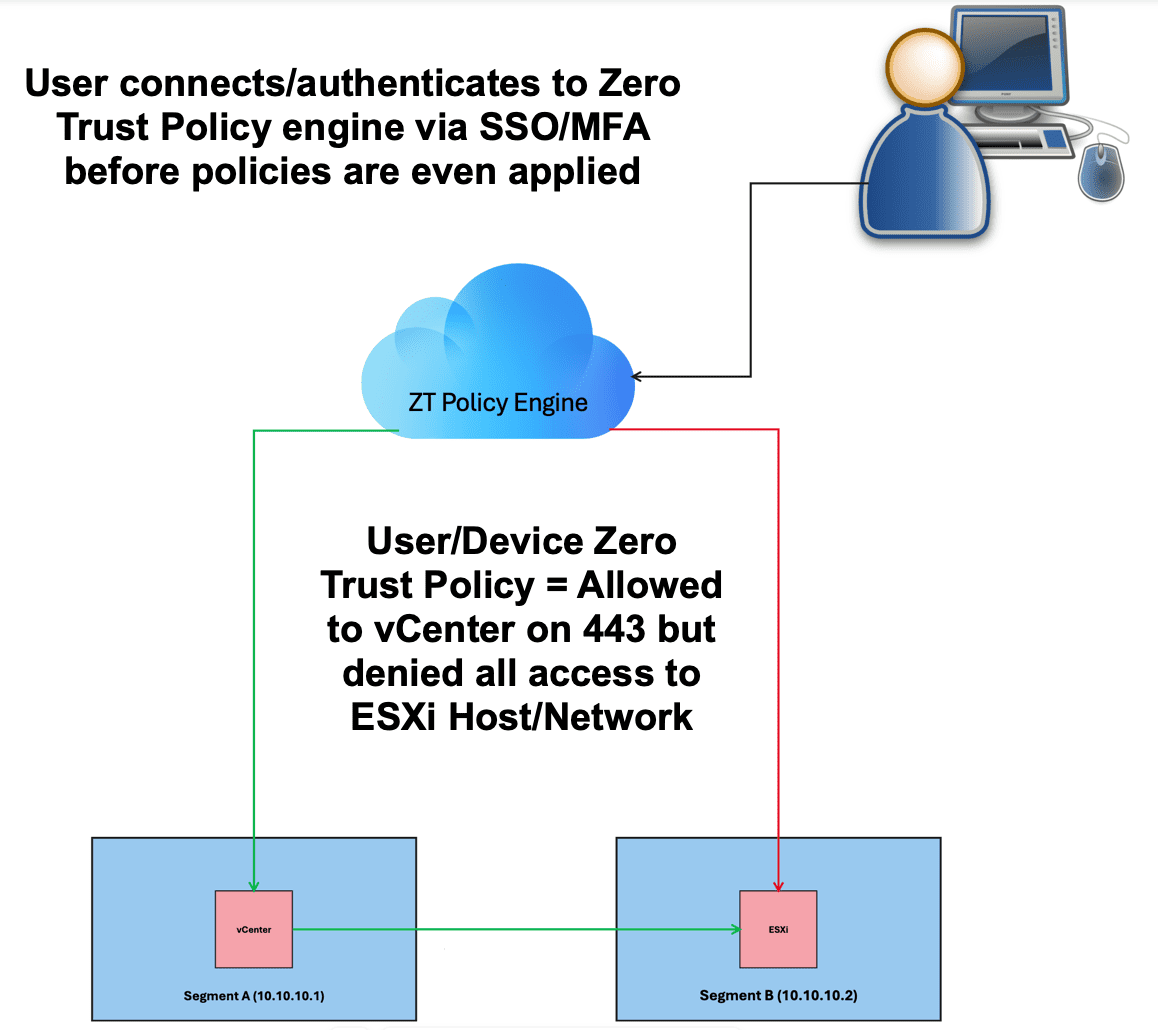
These technologies take the model to the next level by ensuring the user and/or their device is allowed to access a given endpoint. These tools generally also by default can incorporate Single Sign On identity providers combined with that provider’s multi factor options (MFA). In my case I use Google Workspace with TOTP or Passkey to authenticate to the Zero Trust infrastructure via web applications or the local WARP Zero Trust Client.
These tools will solve the problem of not only what network has access to say vCenter on port 443, but also what specific USER/DEVICE is allowed to even reach it. This is in turn usually authenticated via SSO/MFA before the user is even at the login prompt. This is a VERY powerful tool to deploy and yes it takes a lot of work and fine tuning, but is every bit worth the effort regardless of the virtualization platform in place.
This also mitigates the fact that most deployments before vSphere 7.0 do not have any built in MFA capabilities at the login screen. There are multiple options out there but here a few I’ve had experience with that will allow you to deploy and build Zero Trust Client access rules.
- Cloudflare Zero Trust
- zScaler
MFA At The Virtual Machine OS
Now, this is something I will admit I just started looking into myself in the last week. If you go back to the latest VMSA-2025-0013, all of these end up being exploited by the attacker by actually having administrative access to the virtual machines. In the case of Windows, we all know there are two ways to access the virtual machine and that is Remote Desktop (RDP) or Console, either remote or physically. The first two layers of mitigation can certainly help, but what we can’t control is an administrator being socially engineered and giving up their username and password. We know with those and with open network access, that attacker could log into virtual machines, vCenter and other things.
In the case of specifically logging into a virtual machine with directory or local credentials, assuming that windows machine is not EntraID connected, but using local accounts or an on premises active directory there in IN FACT ways to add MFA to the operating system login. This method using one tool actually covers both RDP and console logins as well. The product I tested was DUO for Windows RDP. I will tell you it was easy to deploy and works AMAZINGLY well.

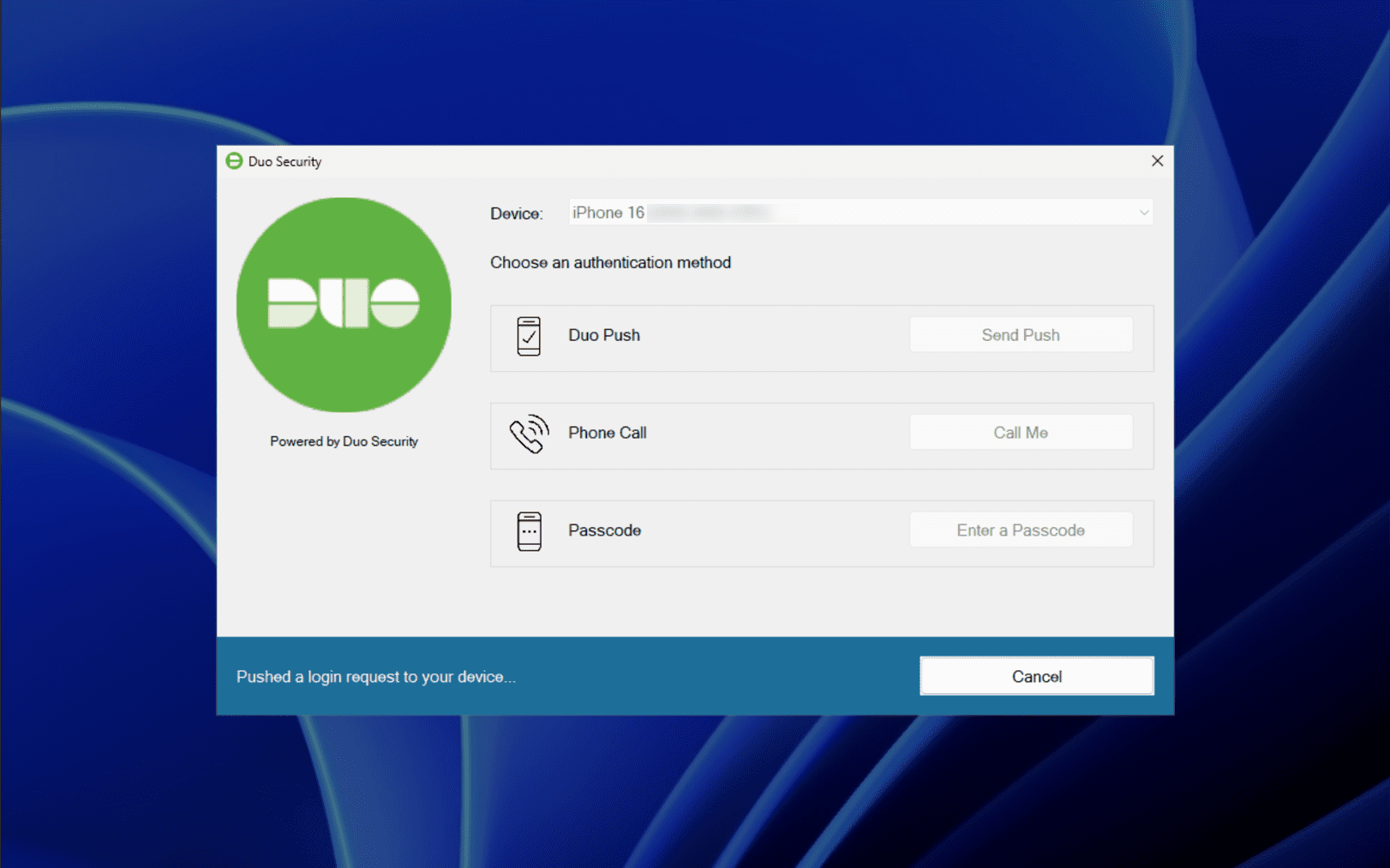
You can see as well you can configure this for just RDP or console access which covers both mechanisms if the attacker has vCenter access for remote console.

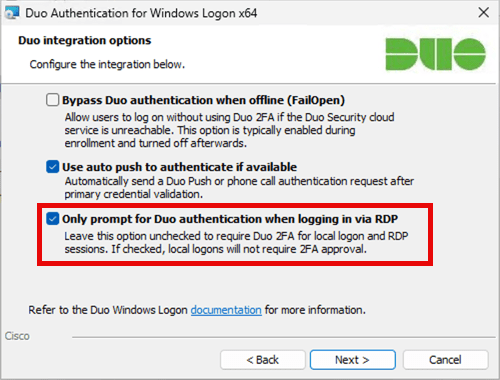
The policies can be configured to deny access without DUO enrollment for a local user like “Administrator”. The bottom line is there are in fact some new ways that are even new to me, that can mitigate the final “gate” if all else fails. This stage absolutely mitigates the final entry point of someone having access to the virtual machine itself and frankly is pretty cool. I have found that there are a couple products that can integrate into the last layer.
- DUO Security for Windows RDP
- Okta MFA Credential Provider for Windows
Final Thoughts
Below is the model I have discussed once again and I hope at this point folks can see that even if you do not have access to patches, you can mitigate your way around pretty well.
Now you might want to say “Chris, this is all grand, but you;re talking about a lot of things we either don’t have, or lack of funding, or it’s just too hard to do”. Well to that I say that’s all fine then accept the risk and quit bitching about having patch without access to patches. You are then a self fulfilling prophecy of excuses at that point.
The bottom line is there ARE ways to mitigate VMware vulnerabilities without patching, you just have to accept it will take some work to do it. Let’s face it who knows if and when they will finally make good on their CVSS9+ commitment, but you still have to deal with anything below 9.0 anyhow. To be honest, all this discussed here is NOT even limited to VMware. I am using that simply for context but everything here is simply good and proper architecture options and principles to put in place anyhow. All this will flow into the future and make your long term life a lot easier if you ask me.